How to use icebreakers
Open with something specific to the person, without writing each one.
An icebreaker is the opening line that makes a first message read as though it was written for one person rather than sent to nine hundred. Writing them one at a time does not scale; generating them in bulk and importing them does.
The approach
You export a list, generate an opening line per row outside LinkedLeads, import the file back, and then reference that column in a campaign's first message.
1. Export the list
Open the list and download it as a CSV. Each row carries what the generator needs to write something specific: name, job title, company, industry, location.
2. Generate a column of openers
Use whatever you like for this. Two that work well:
- Paste the CSV into an AI assistant and ask for one extra column — an opening line per row, using that row's own details.
- Open the CSV in Google Sheets and use an add-on such as GPT for Sheets to
fill an
icebreakercolumn formula-style down the sheet.
Read a sample of what comes back before you go further. A generated opener that is subtly wrong about someone's job is worse than no opener at all.
3. Import the file back
Import the CSV and select the search you exported from.
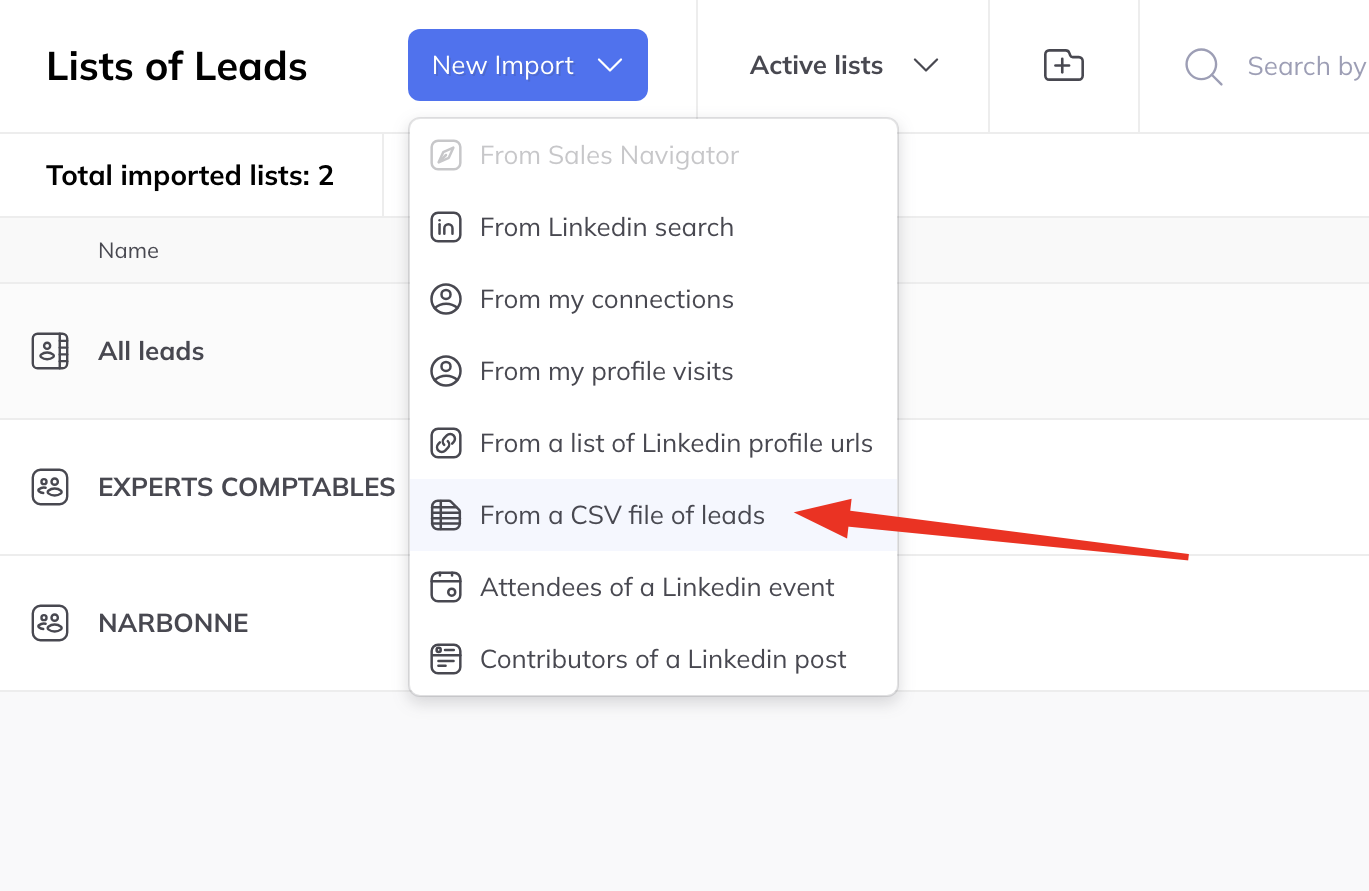
When the column mapping appears, map two columns carefully:
- The LinkedIn profile URL, which is what matches each row to an existing lead
- Your new icebreaker column
Import, and each lead picks up its own opening line.
4. Use it in a campaign
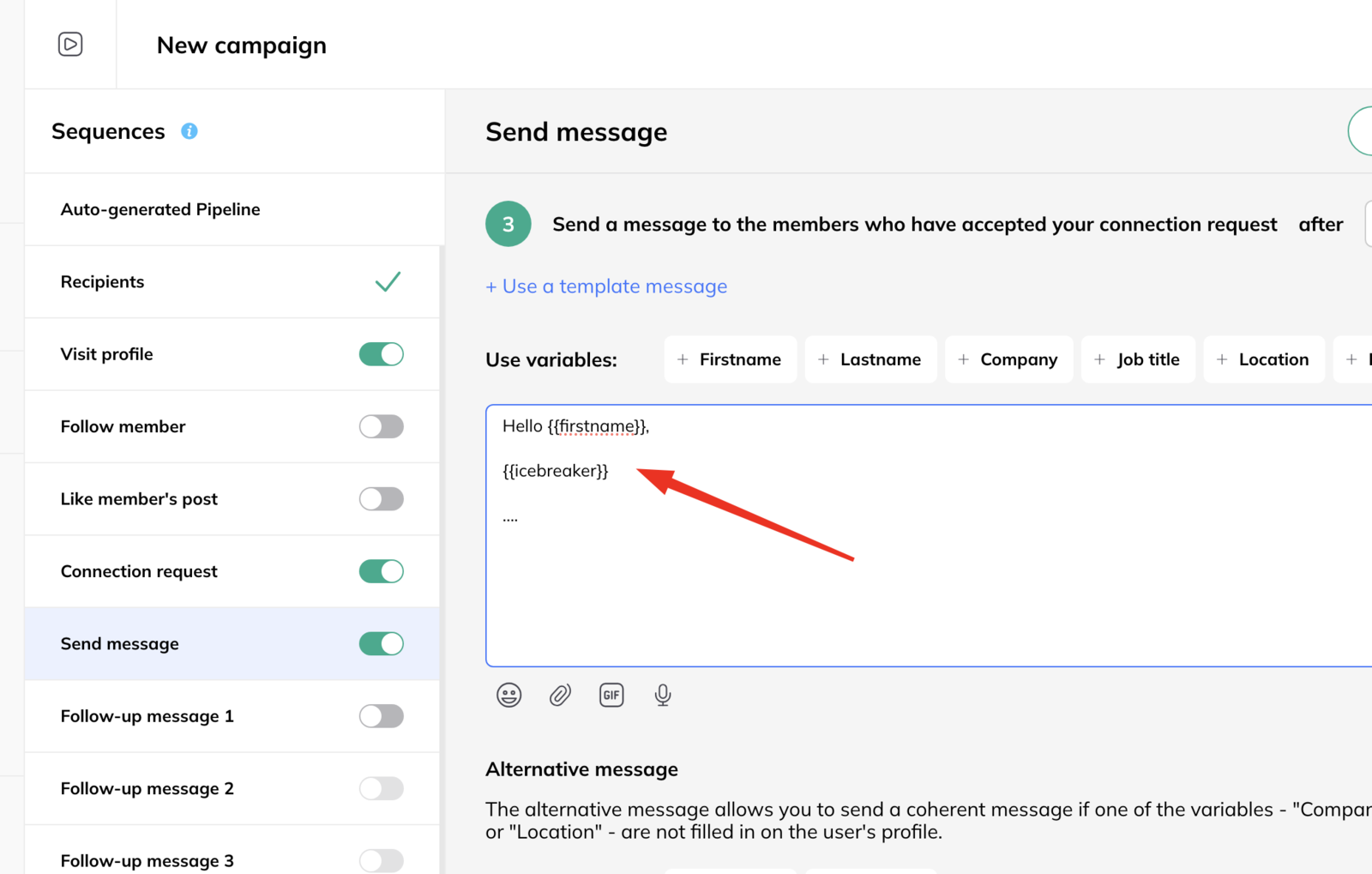
Build a campaign and reference the icebreaker in the first message the same way you would any other variable. See use variables in a message template.