

Sort and classify your network
Turn an unsorted connection list into something you can work.
If you have built a network of a few thousand connections over the years, it is an asset you cannot currently use, because you cannot tell who is in it. This is how to turn it into something you can segment.
There are three approaches, and they get more capable as they go.
1. Label connections in the inbox
Your 1st-degree connections sync automatically to Inbox → Connections. Go through them and apply labels as you read.
This works, and for a few hundred connections it is fine.
It stops working at scale, and the reason is worth understanding: the routine sync only collects name, profile picture and headline. See how contact and connection data is kept up to date. There is not enough there to search on, so there is nothing to bulk-classify by — it is one at a time, by eye.
2. Re-import your connections as leads
The better route. Import your connections from the Leads page, which brings in full profile details rather than the light sync.
Then:
- Use advanced filters to segment the list — by job title, industry, company size, location, time in role.
- Use Add to my inbox / Add a label to label everyone in that segment at once.
Now you are labelling in groups of two hundred rather than one at a time, and the segments are defined by something real.
3. Segment in Sales Navigator first
With Sales Navigator, you have a third option: use its filters against your own network.
For each segment you want a label for, build the search in Sales Navigator, import it, and use Add to my inbox / Add a label on the resulting list.
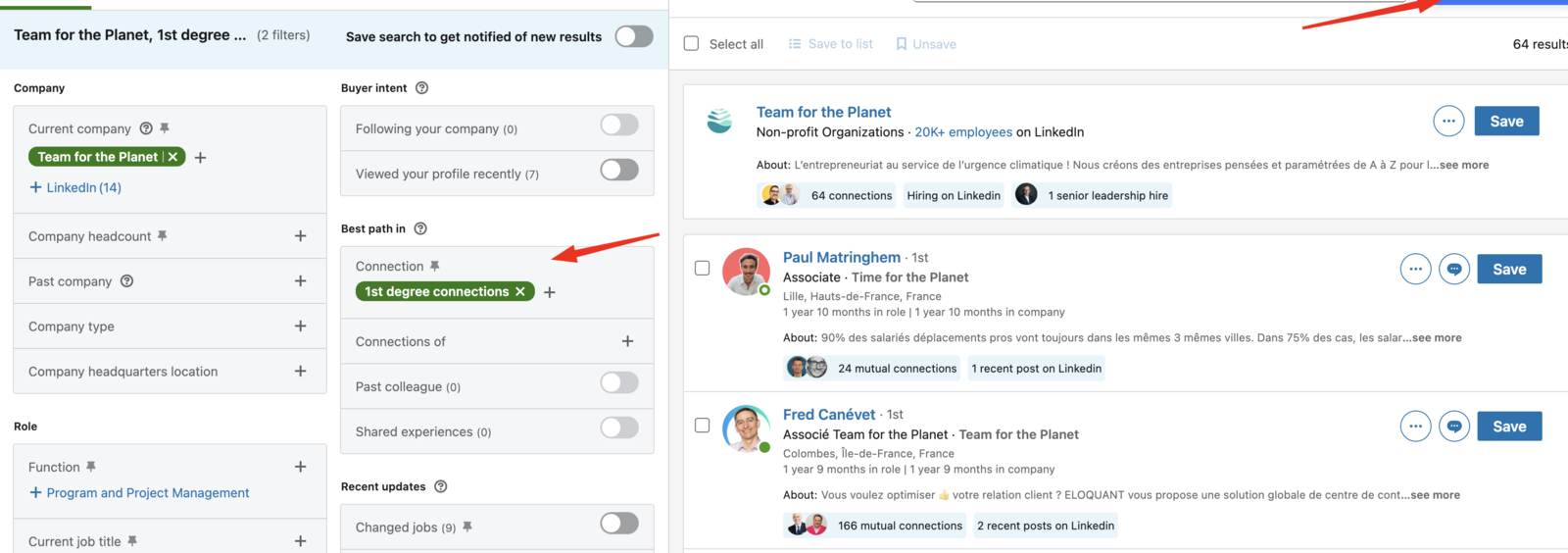
More setup, but Sales Navigator's filters are the sharpest available — worth it when the distinction you care about is not one the lead filters can express.