

Send a message from a template
Use a template from the inbox, a list or a pipeline column.
Templates are available everywhere LinkedLeads sends a message.
From the inbox, to several people
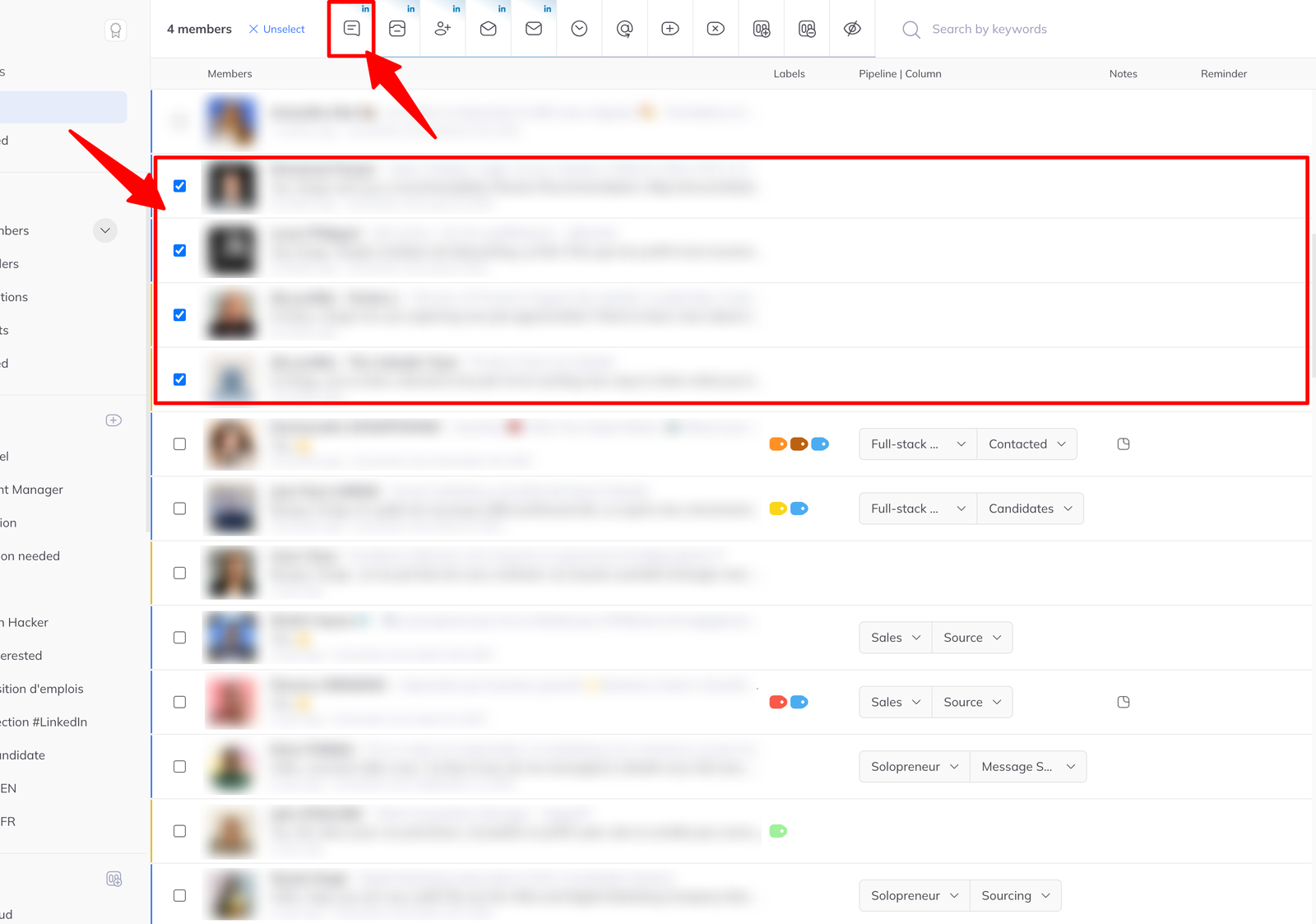
- Go to the inbox and tick one or more members.
- Click Message in the action bar that appears.
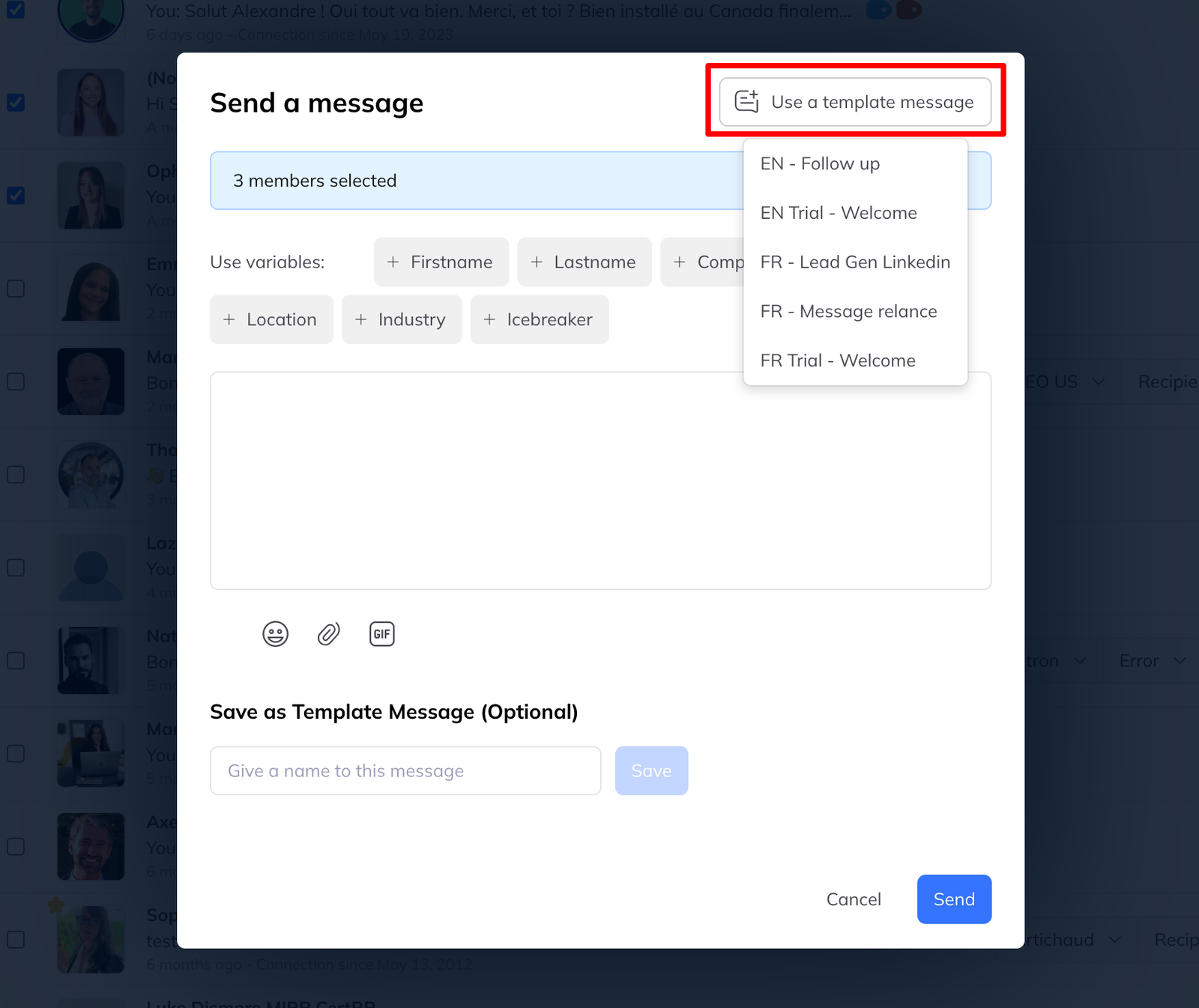
- In the message window, click Use a message template and pick one.
- Edit if you want to, then send.
From a conversation
- Click a member to open their chat.
- Use the Message template dropdown above the input field.
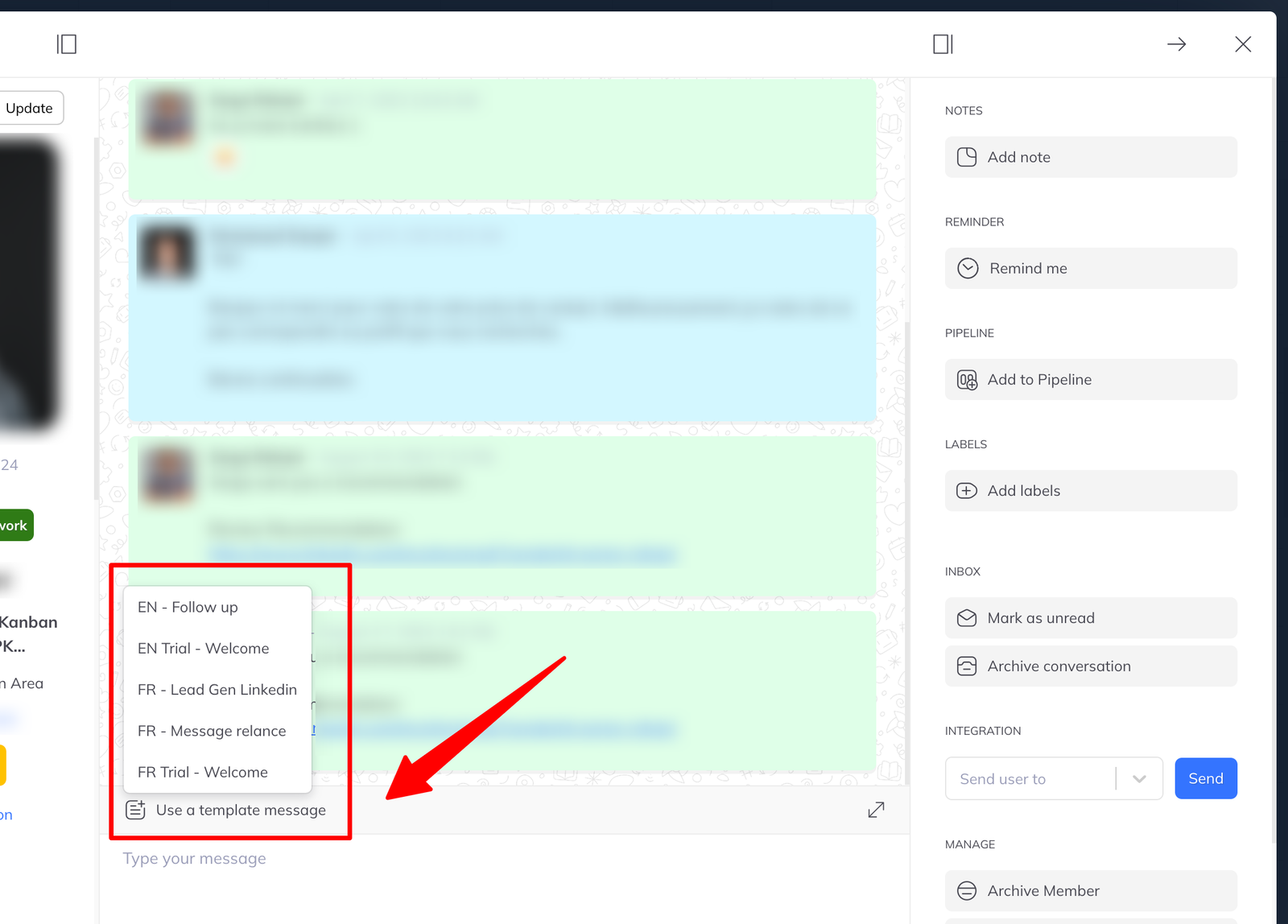
The text drops into the field and is editable before you send, which is the point — a template is a starting position, not a script.
From a pipeline column
- Open the ⁝ action menu on the column.
- Click Send message.
- In the window, click Use a message template.
See actions you can run from a pipeline column.
In a campaign
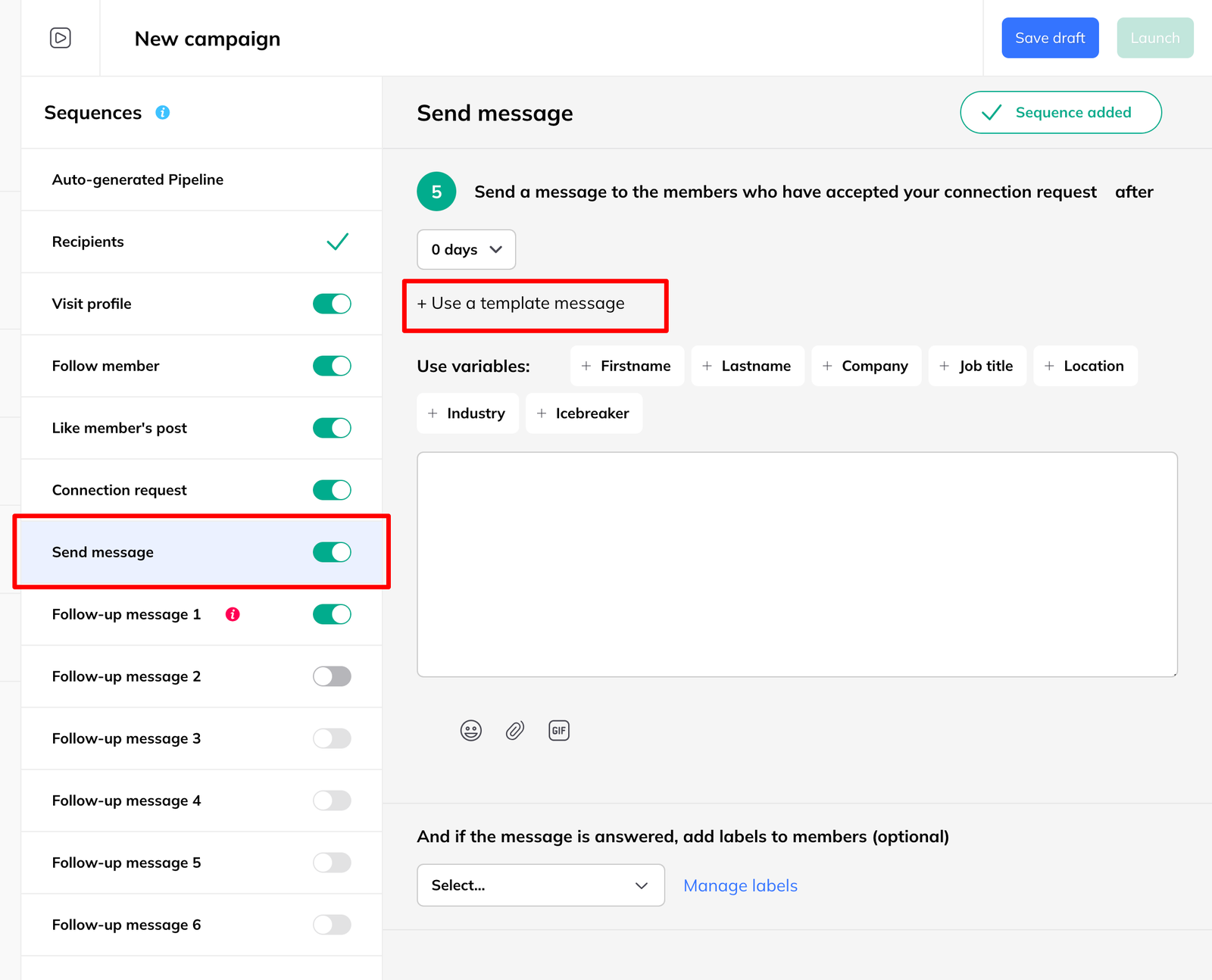
When you add a Send message step to a sequence, you can either write the message there or insert an existing template.
The fallback applies everywhere
However you send it, if the template uses a variable other than
{{firstname}} or {{lastname}}, recipients missing that detail get your
alternative message instead. The
rule is the same whether a person clicked send or a campaign did.