

What an alternative message is, and when to use one
Give a template a second phrasing so a campaign does not repeat itself.
An alternative message is the version that goes out when the main one cannot be completed — a fallback you write yourself instead of letting a message ship with a gap in it.
When it appears
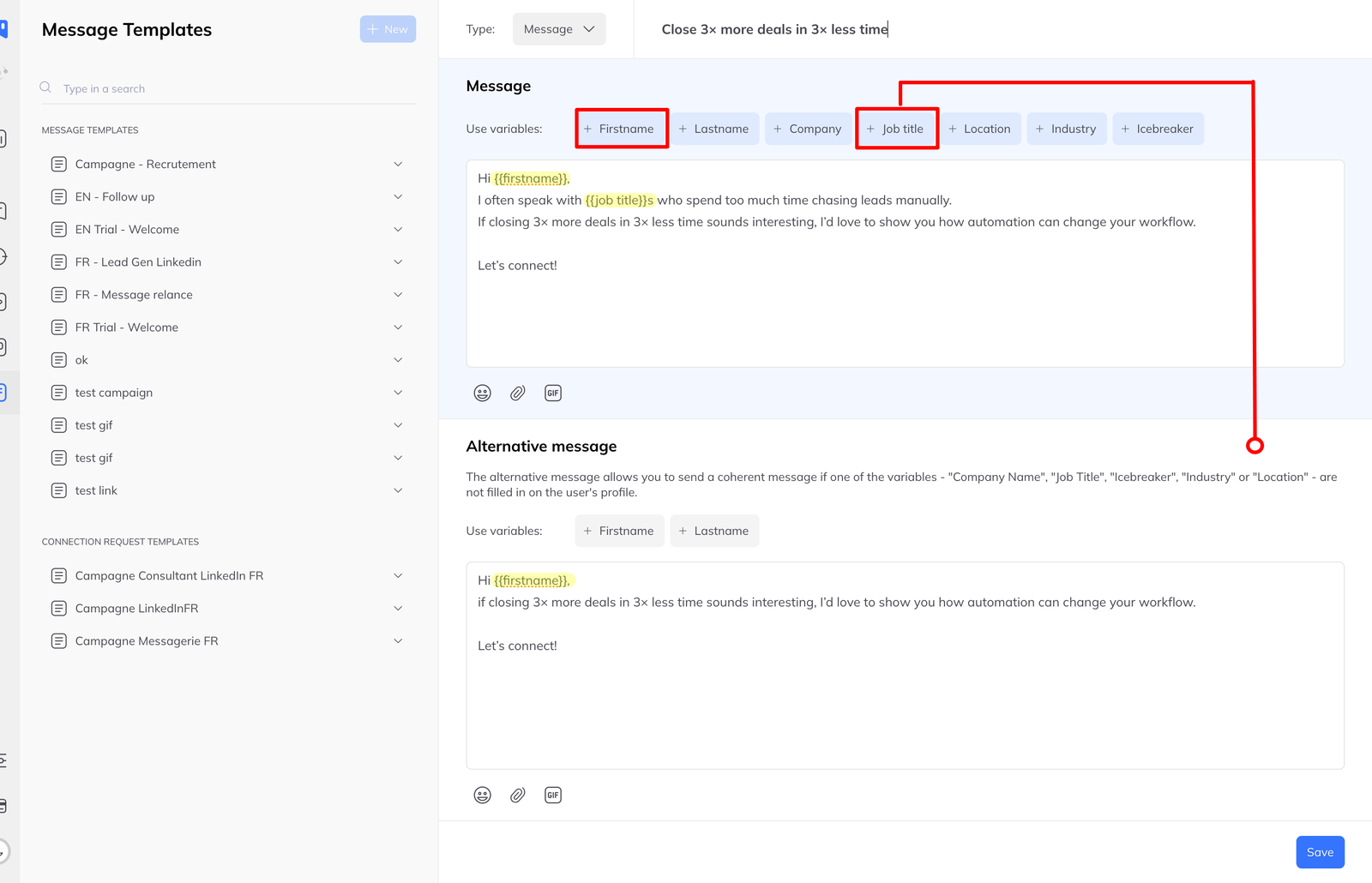
As soon as you use any of these in a template, an Alternative message block appears in the editor:
{{job title}}{{company}}{{industry}}{{location}}
These are the variables that can be absent from a profile. {{firstname}} and
{{lastname}} cannot, so they never trigger it.
What to write in it
A complete message that works using only {{firstname}} and {{lastname}} —
not the main message with the risky part deleted, which usually leaves
something that reads oddly.
Write it as though the specific detail was never available to you, because for these recipients it was not.
What happens on a bulk send
Sending to many people at once — from the inbox, a pipeline column or a campaign — LinkedLeads checks each recipient:
- Profile has every variable your message uses → main message
- Anything missing → alternative message
Each person gets one clean message. You do not have to segment the list by data completeness first, which is the job this replaces.