

Get started with automated campaigns
Build your first sequence and put a list through it.
A campaign is a sequence of actions that runs on its own against a list of leads — visit the profile, send an invitation, message, follow up — carried out gradually so it stays inside the behaviour LinkedIn treats as normal.
Building one
Go to Campaigns and click + New, or duplicate an existing campaign.
- Name it.
- Choose who it runs against:
- A lead list you have imported
- Everyone carrying a particular label
- New connections — anyone who becomes a 1st-degree connection while the campaign is running is added automatically
- Add the steps, in the order they should happen.
- Launch it.
The available steps
- Visit profile
- Follow member
- Like member's post
- Connection request
- Send message
- Follow-up message 1 to 6
A pipeline is created for you
Launching a campaign creates a pipeline tied to it, with one column per step. Leads move themselves from column to column as they progress, so the board is always the current state of the campaign — and you can still act on anyone manually.
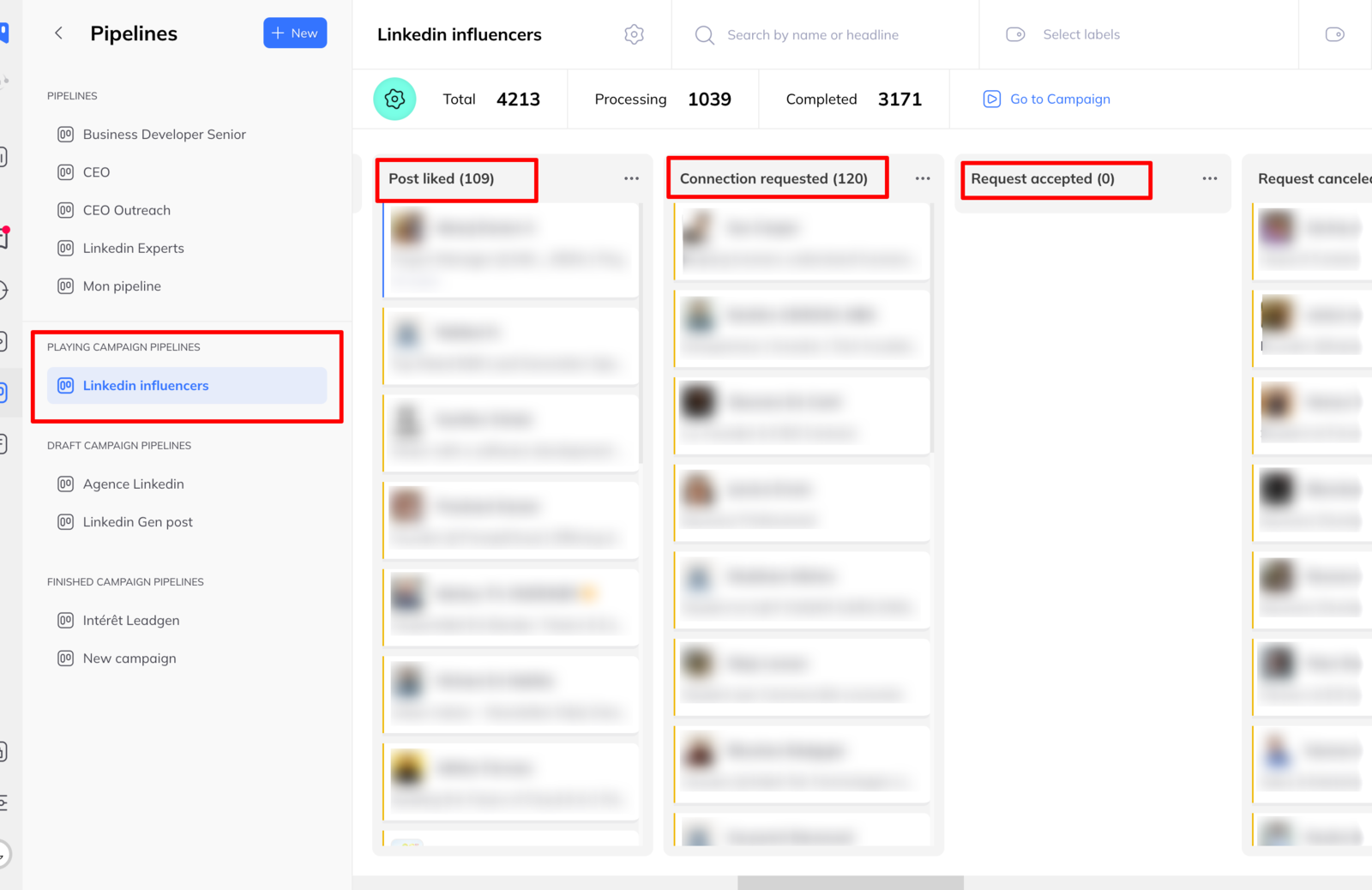
Member status — invitation accepted, message replied to — is synced every hour.
Statistics
Each campaign tracks:
- Members processed
- Connection requests sent
- Acceptance rate for those requests
- Reply rate to your messages
Enough to tell which sequence is working and which message needs rewriting.
How execution is scheduled
Actions are planned daily around three things: your limits, your working hours, and where each lead has got to.
Tasks are visible in the campaign's Tasks tab, or globally under Asynchronous tasks in the sidebar. Each is:
- Scheduled — planned, waiting
- Processing browser — running in your browser
- Processing — running in the cloud
and finishes as Done or Error. An error on the LinkedLeads side — a connection problem, say — is rescheduled automatically. An error on LinkedIn's side, such as a profile that has been deleted or blocked, is discarded rather than retried.
Campaign statuses
- Draft — being built
- Running — active
- Queued — waiting for a slot
- Completed — everyone has finished the sequence
- Archived — closed
Two rules worth knowing up front
- Three campaigns can run at once. A fourth is queued and starts when one finishes.
- A lead can only be in one campaign at a time. Which means overlapping lists quietly exclude each other — check for duplicates before launching.