

Filter a campaign with an ICP AI filter
Describe who you want and let the agent drop everyone else.
An ICP filter describes your ideal customer, and scores every lead in a campaign against it — so a list that is roughly right becomes a campaign that only runs against the people who actually fit.
What it scores
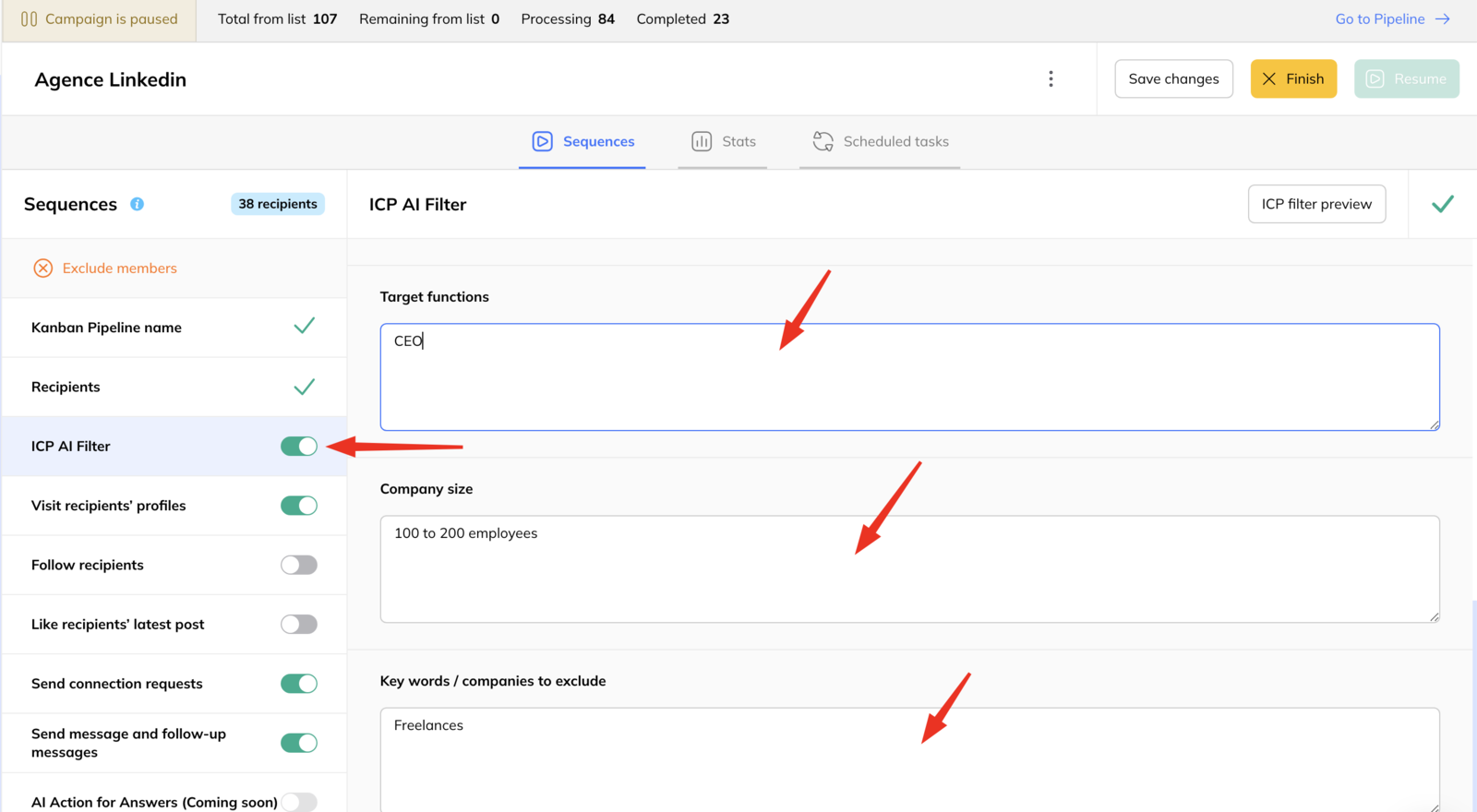
You describe the profile you want and the profiles you want excluded: industry, company size, geography, target functions, exclusions. Each lead is then rated:
- Good — strongly matches
- Average — partially matches
- Bad — does not match, or matches one of your exclusions
Setting one up
- Enable the ICP filter.
- Fill in the description of your ideal customer, and of the profiles to exclude.
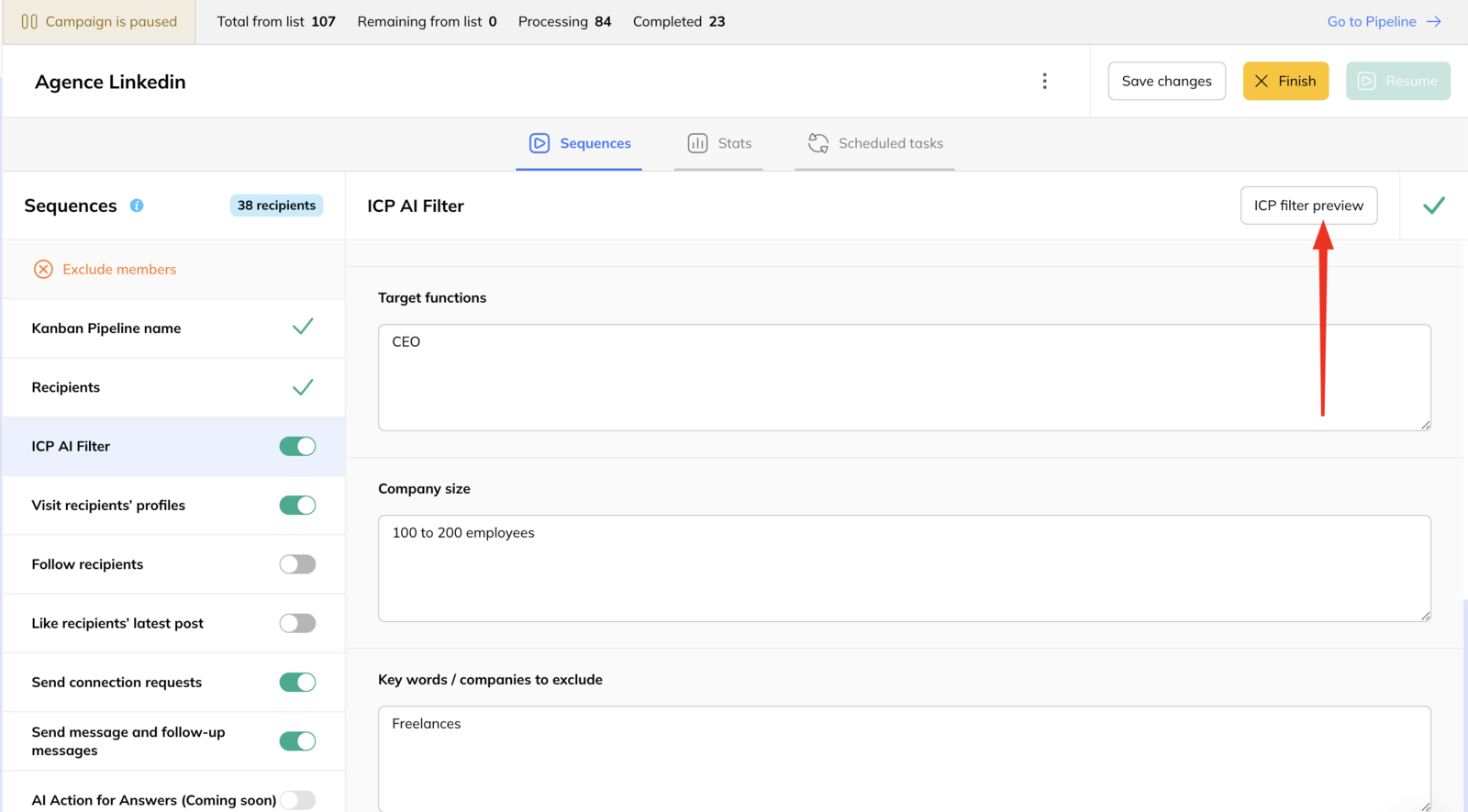
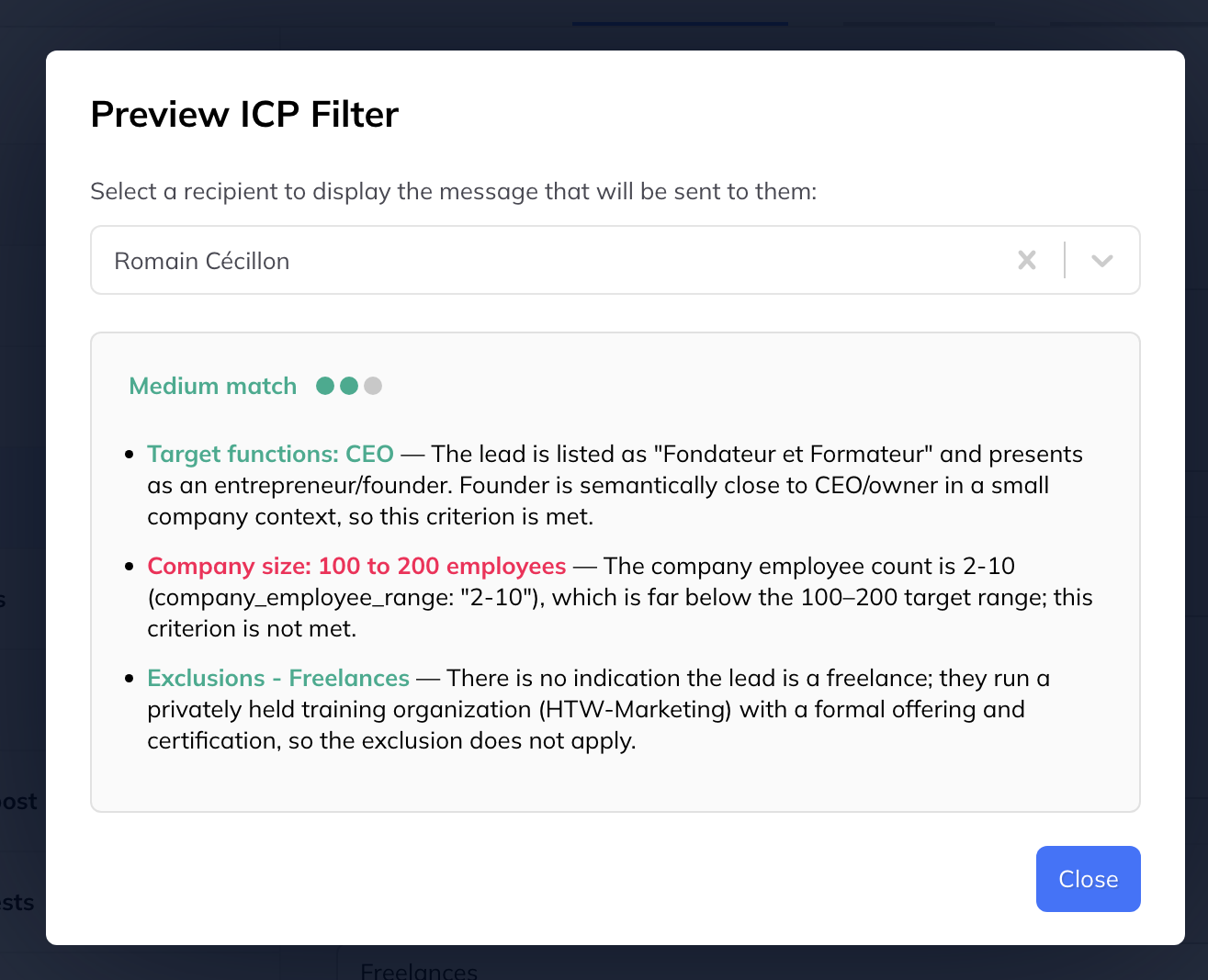
- Preview the results against a few real leads to check the definition behaves the way you meant.
- Launch the campaign.
What happens to filtered leads
Anything scored Bad or Average is moved to the ICP filtered column in the campaign's pipeline, and the campaign stops for them.
Each lead carries a summary of why it was scored that way, so you can tell a correct exclusion from a misread one.
Overriding it
If a filtered lead should carry on after all, drag the card from ICP filtered to ICP not filtered. The campaign resumes for them.
That is worth doing when you spot a pattern — several good prospects filtered for the same wrong reason usually means the ICP description needs a word changing, not that those leads were bad.