

Edit or delete a label
Rename or recolour a label, and what deleting one does.
Both are done from the same window, reached from the inbox, a pipeline or a chat.
Editing
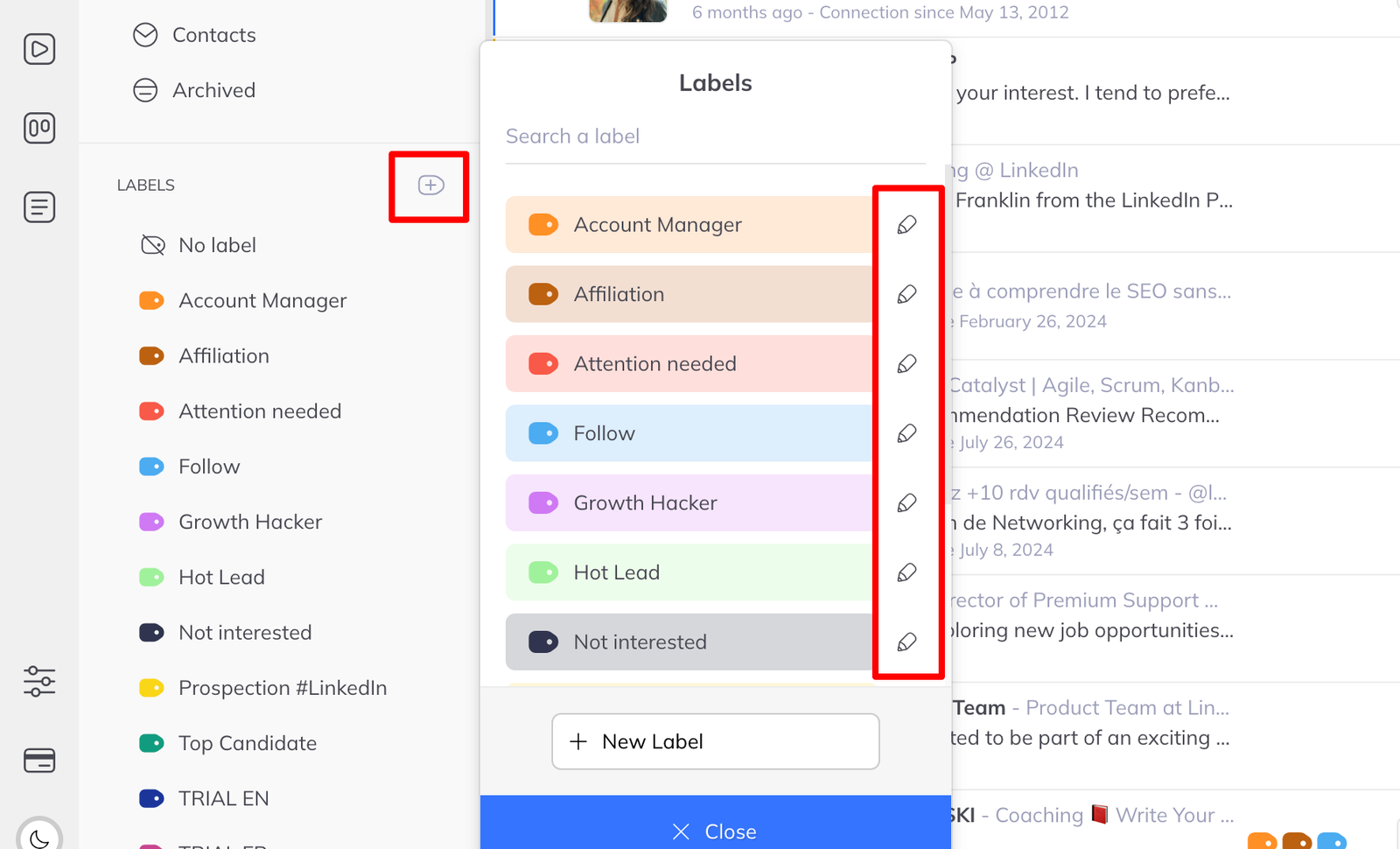
- Click Manage labels.
- Find the label and click the pencil icon.
- Change the name, pick a new colour, or both.
- Click Update.
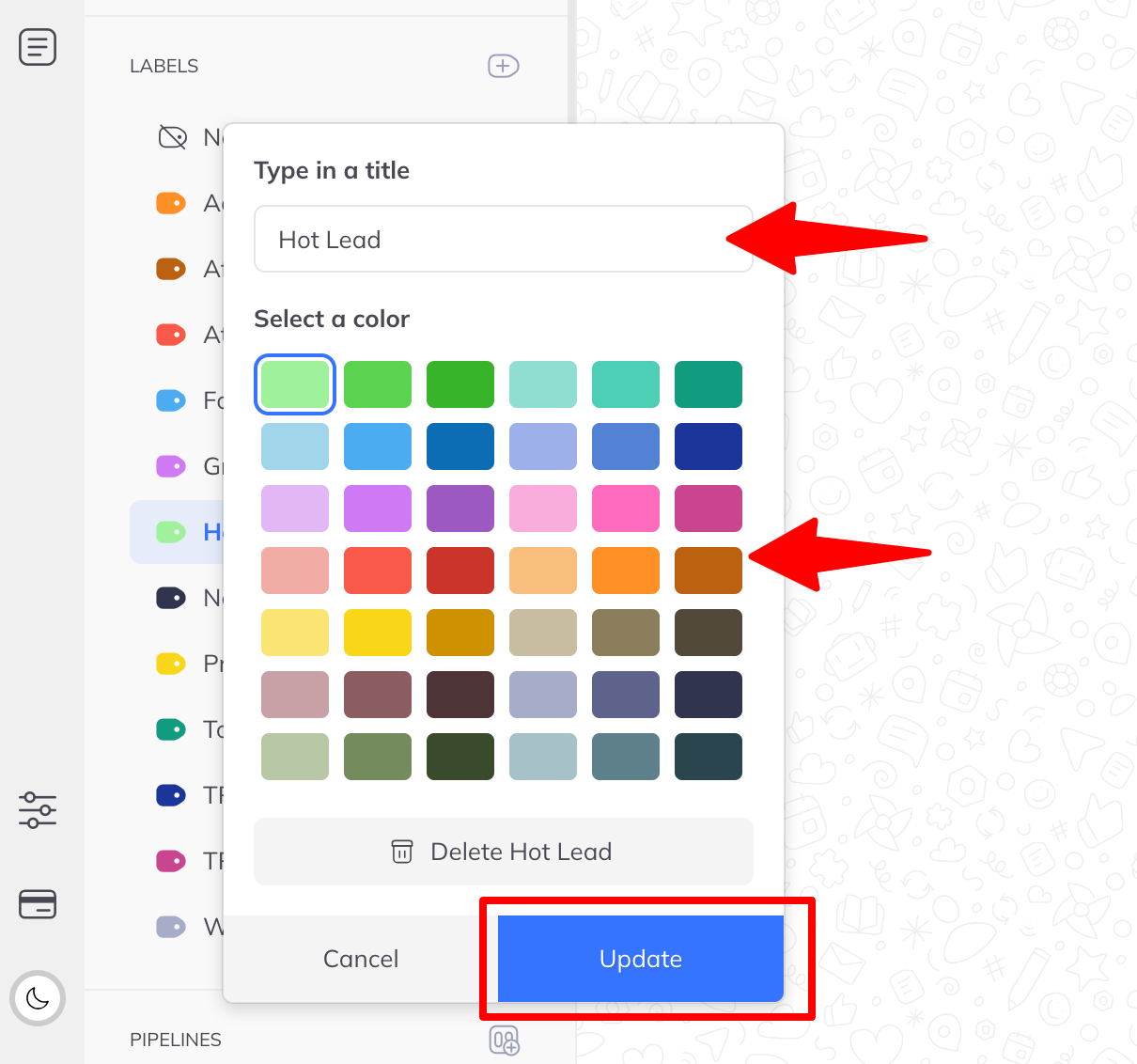
Renaming a label changes it everywhere it is applied. Nothing is unassigned.
Deleting
From the same editing window, click Delete.
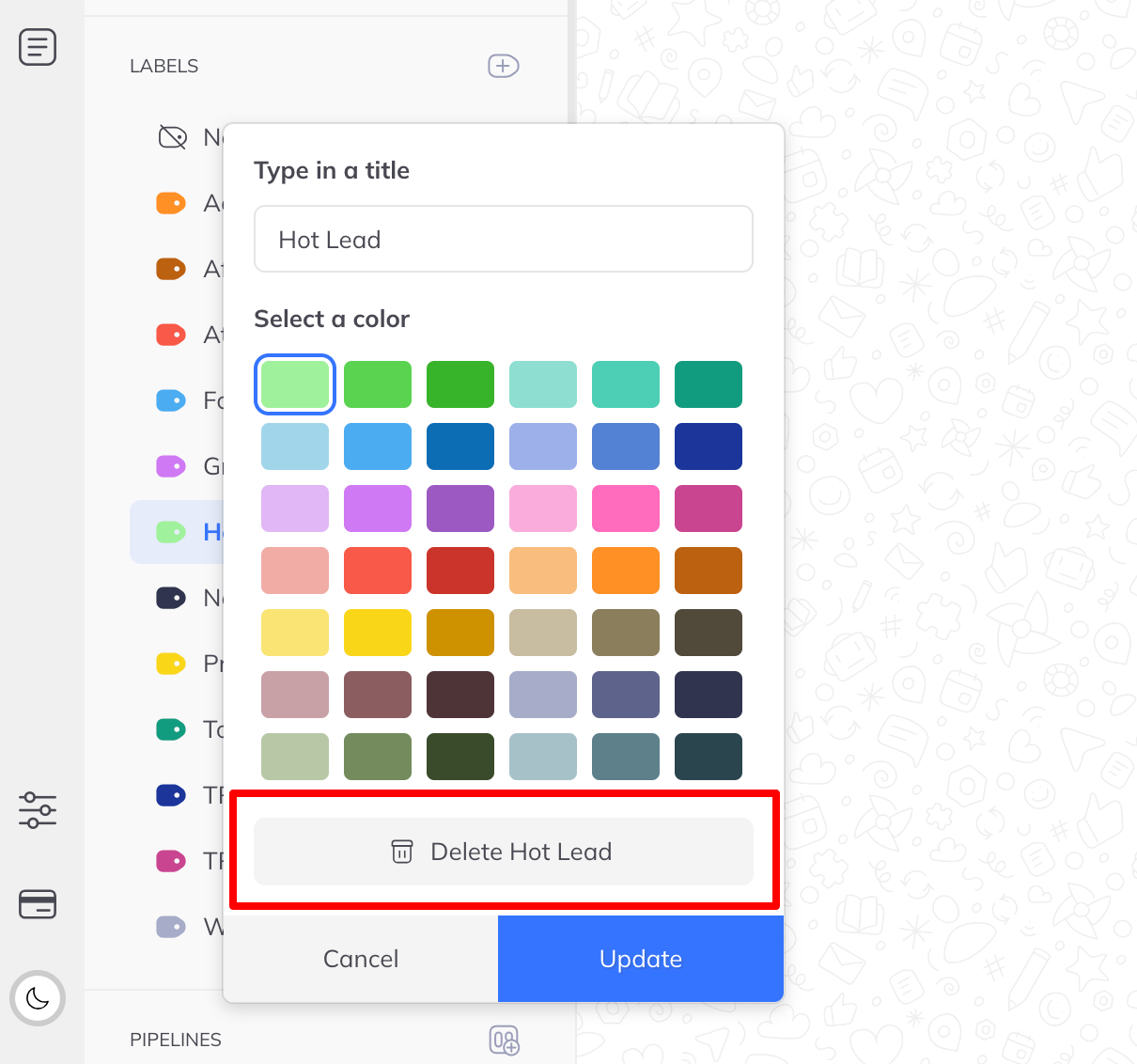
Deleting a label does not delete any members or leads. It removes the label only.