

Send a message from a prompt template
Generate a draft, read it, and send it when it is right.
Prompt templates are offered in the same places message templates are.
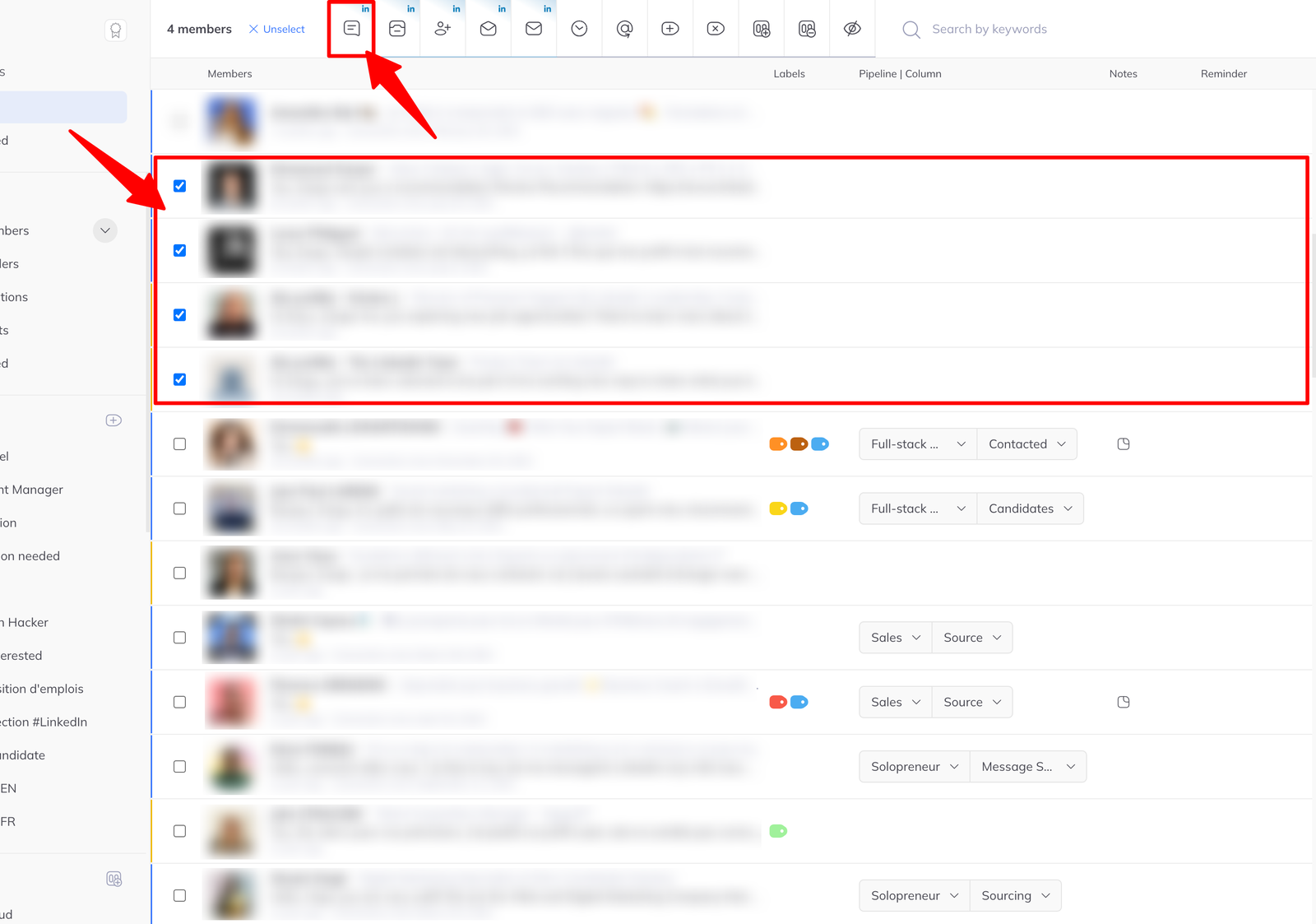
From the inbox, to several people
- Go to the inbox and tick one or more members.
- Click Message in the action bar.
- In the message window, click Use a prompt template and pick one.
- Read what comes back, edit if needed, send.
From a conversation
Open a member's chat and use the template dropdown above the input field.
The draft is editable before it goes. Read it — this is the step that does not exist inside a campaign.
From a pipeline column
- Open the ⁝ action menu on the column.
- Click Send message.
- Click Use a prompt template.
In a campaign
When adding a Send message step to a sequence, you can write a fixed message or use an AI prompt instead. Generated messages go out without anyone reading them first, so use a prompt you have already tested by hand.